



Reset Mobile FIDO SDK
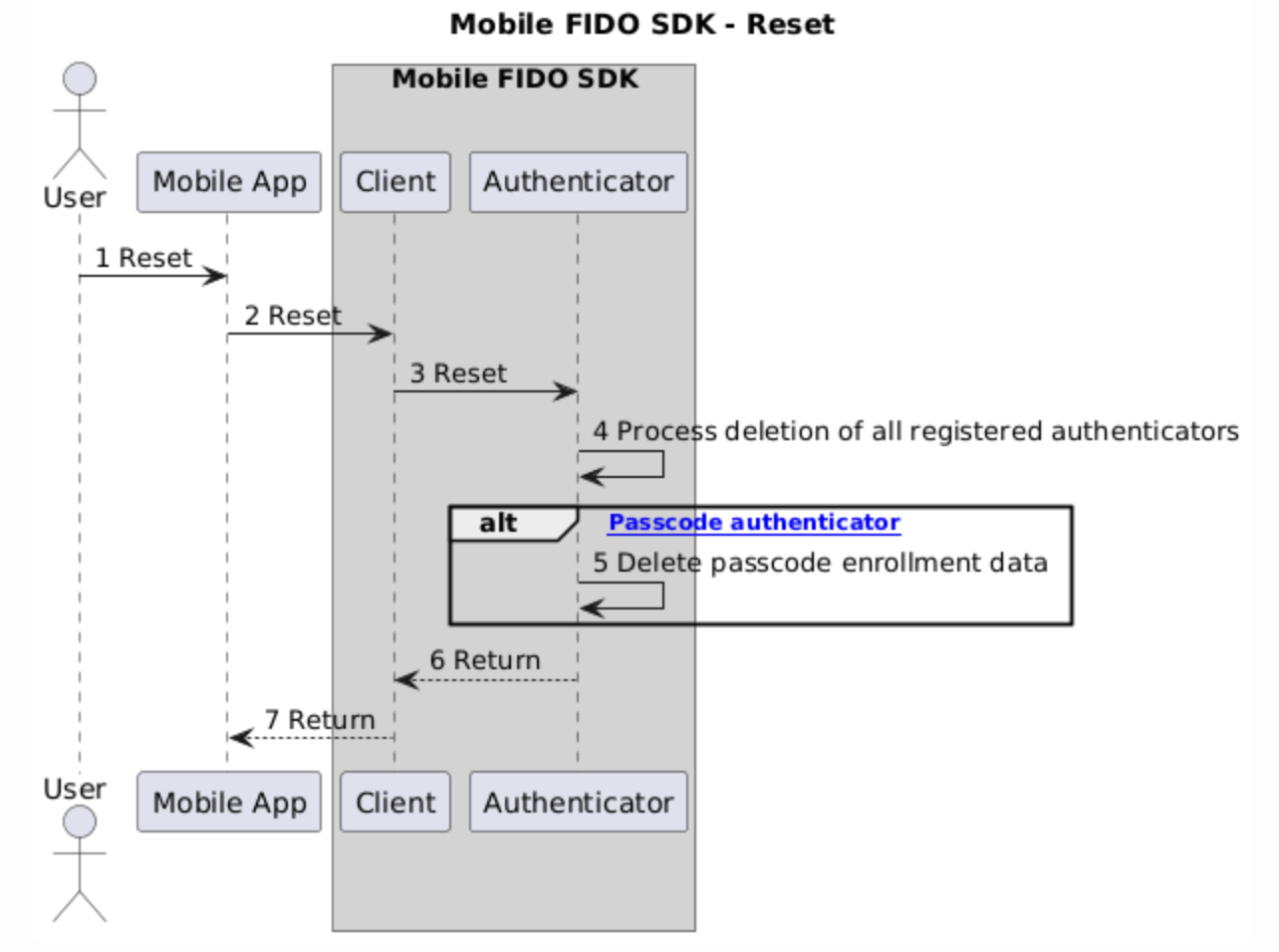
This feature allows the end user to remove all registered authenticators and reset Mobile FIDO SDK.
The following sequence diagram describes the flow of this feature:
Use the sample app
To update an reset Mobile FIDO SDK using the sample app:
-
Navigate to the Settings page.
-
Tap Reset to initiate this feature.
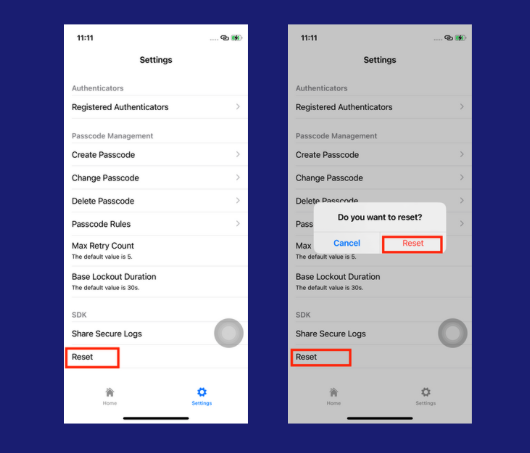
Initiate a reset
The following code snippets demonstrate how to reset the SDK:
val client = Fido2ClientFactory.createFido2Client(activity.getApplicationContext())
client.setActivity(activity)
client.reset()
try TGFFido2Client.reset()

