



Delete a registered authenticator
This feature allows the end user to remove a single registered authenticator.
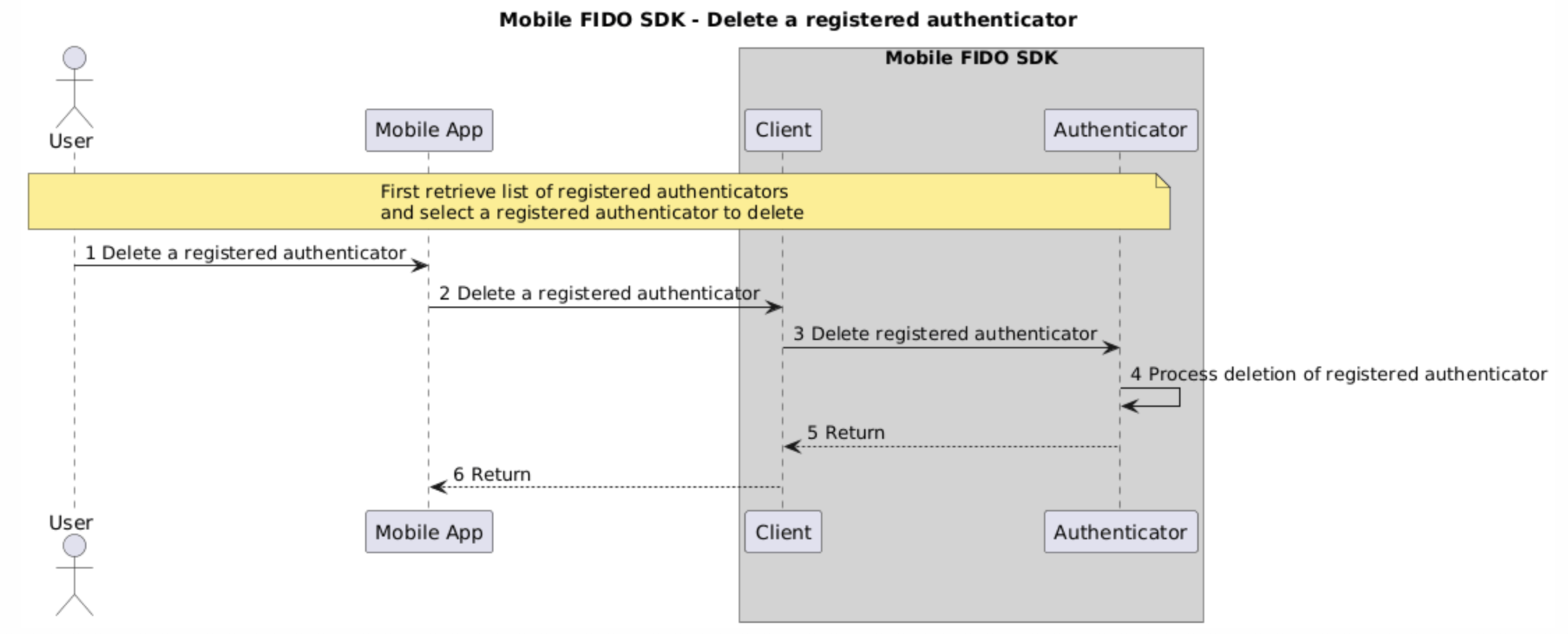
The following sequence diagram describes the flow of this feature:
To remove an authenticator registration using the sample app:
-
Navigate to the Settings page.
-
In the Authenticator Registrations page, tap Edit.
-
Tap a registered authenticator that you want to remove, and then delete it according to the device platform:
-
On Android, tap the delete button.
-
On iOS, swipe left.
-
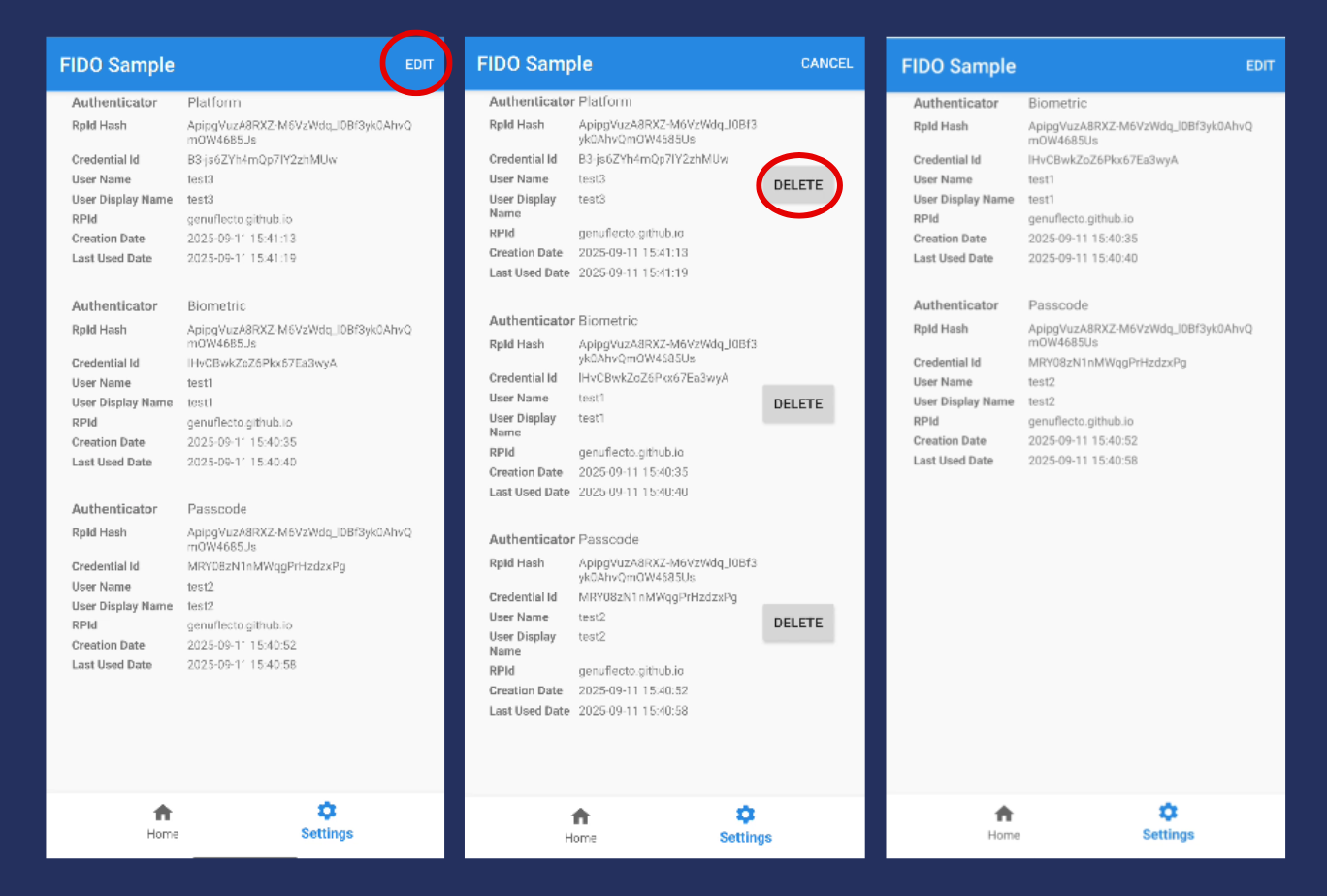
Initiate authenticator deletion
The following code snippets demonstrate how to delete a registered authenticator:
client = Fido2ClientFactory.createFido2Client(activity.getApplicationContext())
client.setActivity(activity)
client.deleteAuthenticatorRegistration(info)
let authInfo = authenticatorRegistrationInfos[indexPath.row]
let client = try TGFFido2ClientFactory.client()
try client.deleteAuthenticatorRegistration(authInfo)
authInfo.wipe()

