



Change a passcode
When registering a passcode authenticator, the end user has to set the initial passcode. This value can be updated any time at the initiative of the end user or the application. This operation is fully executed on the mobile device.
Note
-
This use case is only available to the passcode authenticator.
-
The end user can change the passcode any time after the passcode enrollment is completed.
The following sequence diagram describes the flow of this feature:
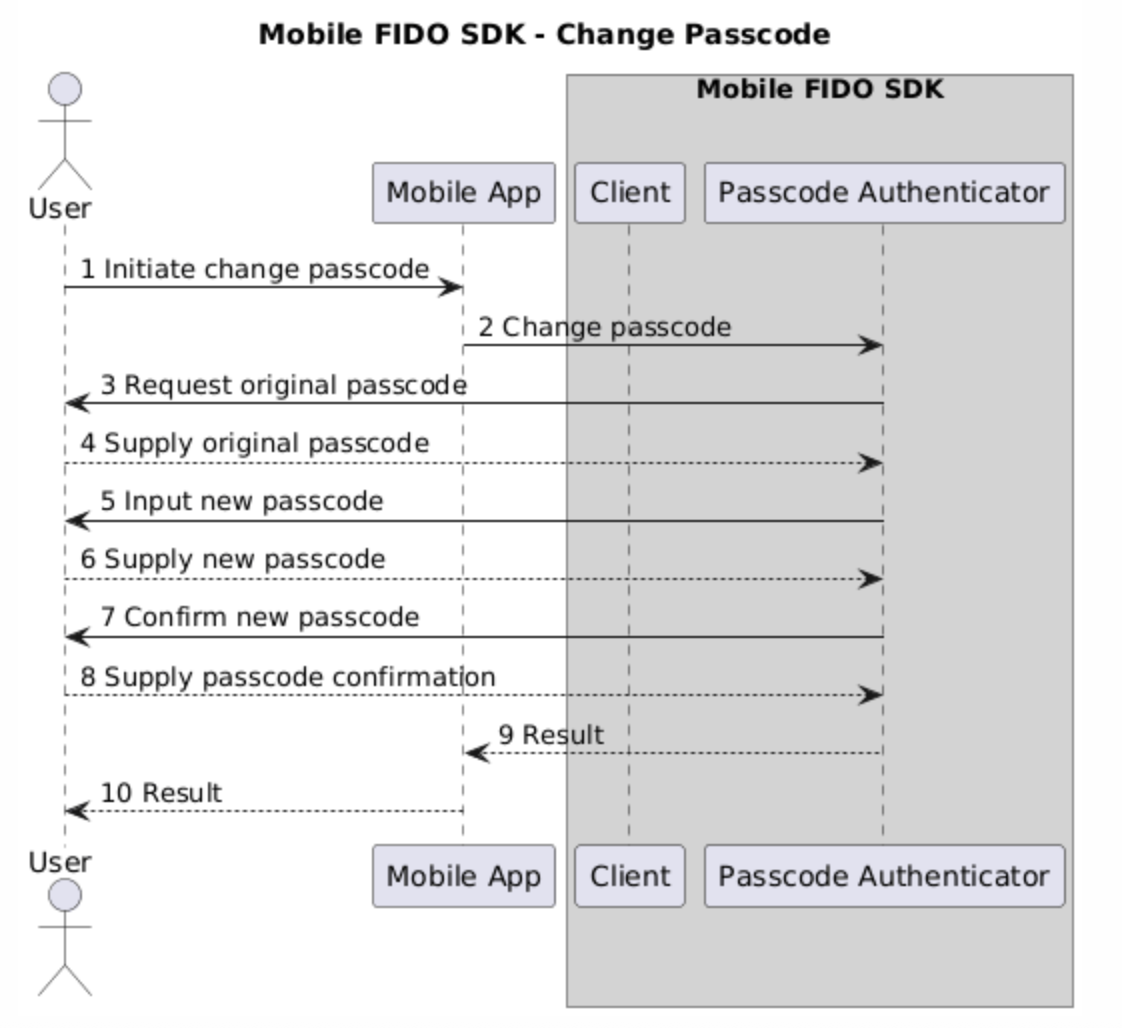
Change an existing passcode
To update an existing passcode using the sample app:
-
Open the sample app and navigate to the Settings page.
-
Tap Change Passcode to initiate this feature.
You are prompted to enter the existing passcode.
-
Enter the new passcode and tap OK.
-
Re-enter the passcode to confirm and tap OK. The passcode is now updated.
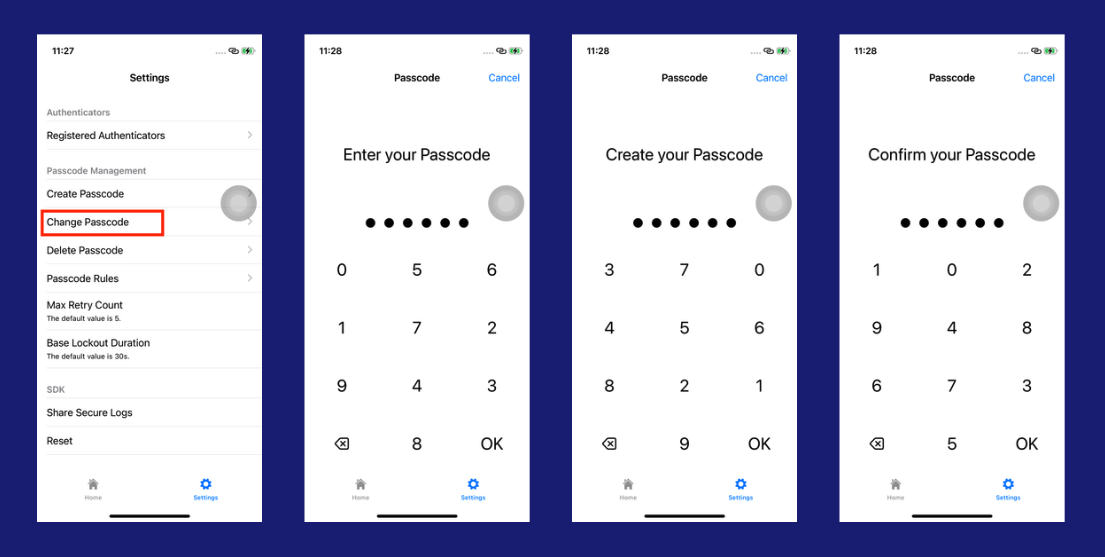
Initiate a passcode change
The following code snippets demonstrate how to change a passcode:
val passcodeAuthenticatorCallback = SamplePinPadAuthenticatorCallback(activity)
val passcodeAuthenticator = PasscodeAuthenticator.of(activity, passcodeAuthenticatorCallback)
passcodeAuthenticator.changePasscode()
let clientConformer = ClientConformer()
let passcodeAuthenticator = TGFPasscodeAuthenticator(delegate: clientConformer)
passcodeAuthenticator.changePasscode()
Tip
Mobile FIDO UI SDK is used as a means for managing the UI callbacks to the individual use cases, allowing the end user to focus on the core application logic.

