



SailPoint IdentityIQ Setup
Perform the following steps to configure SafeNet Access Exchange as your Identity Provider in SailPoint IdentityIQ:
-
Log in to SailPoint IdentityIQ as an administrator using the http://<IIQ server base URL>/identityiq URL (for example, http://seri.sailpointdemo.com:8080/identityiq).
-
On the SailPoint IdentityIQ dashboard, on the top right-hand side corner of the window, click Settings
 , and select Global Settings.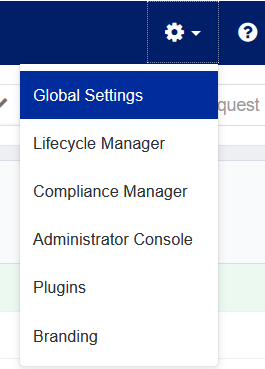
-
Under Global Settings, click Login Configuration.
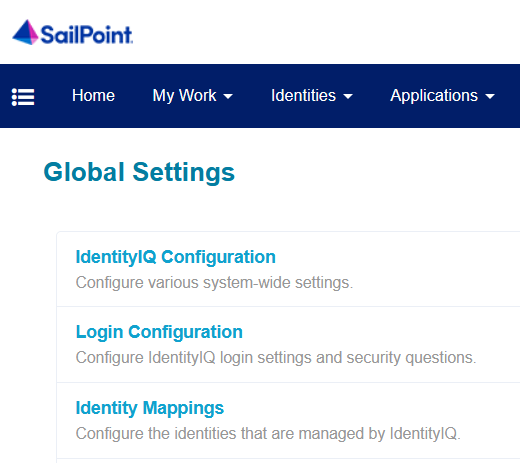
-
Under Login Configuration, go to the SSO Configuration tab, and select the Enable SAML Based Single Sign-On (SSO) checkbox.
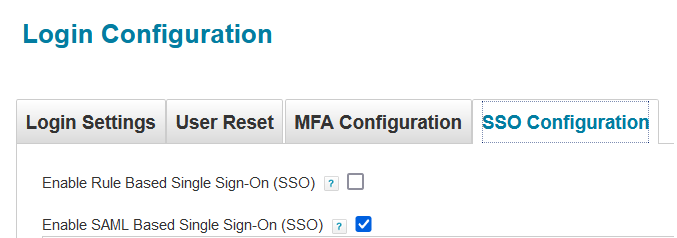
-
Under SAML Based SSO, perform the following steps:
-
Under Identity Provider Settings, perform the following steps based on the information that you obtained as prerequisites:
-
In the Entity ID / Issuer field, enter the entityID URL.
-
In the SSO Login URL field, enter the SingleSignOnService :HTTP POST URL.
-
In the Public X.509 Certificate field, paste the entire ds:X509Certificate text value ( between -----BEGIN CERTIFICATE----- and -----END CERTIFICATE----- ).
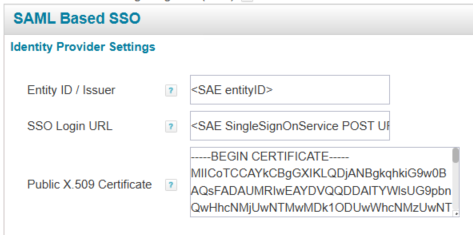
-
-
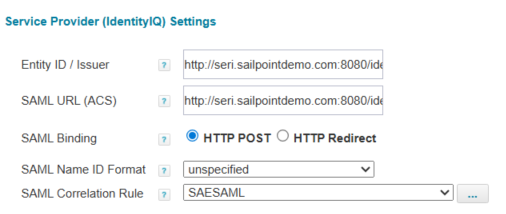
Under Service Provider (IdentityIQ) Settings, perform the following steps:
-
In the Entity ID / Issuer field, enter the URL in the http://<IIQ server base URL>/identityiq format (for example, http://seri.sailpointdemo.com:8080/identityiq).
-
In the SAML URL (ACS) field, enter the URL in the http://<IIQ server base URL>/identityiq/home.jsf format (for example, http://seri.sailpointdemo.com:8080/identityiq/home.jsf).
-
In the SAML Binding field, select the HTTP POST option.
-
In the SAML Name ID Format field, ensure that unspecified is selected.
-
-
Next to the SAML Correlation Rule field, click on the
 icon to open the correlation rule creator.
-
-
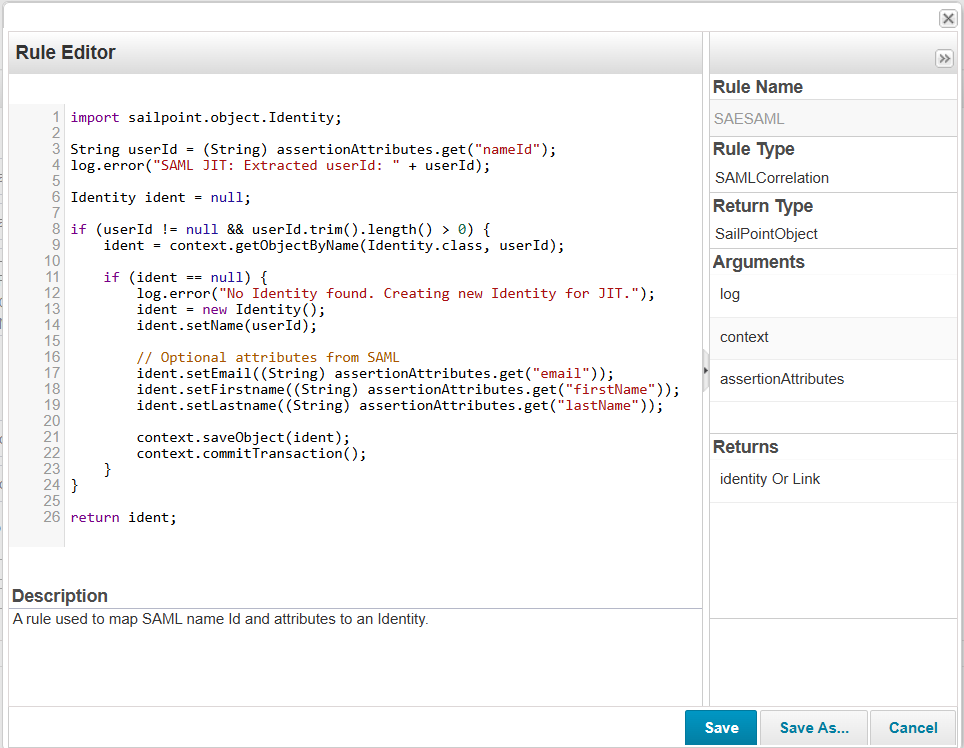
On Rule Editor window, perform the following steps:
-
Enter the beanshell script logic as shown below.
import sailpoint.object.Identity;

String userId = (String) assertionAttributes.get("nameId");
log.error("SAML JIT: Extracted userId: " + userId);

Identity ident = null;

if (userId != null && userId.trim().length() > 0) {
    ident = context.getObjectByName(Identity.class, userId);

    if (ident == null) {
        log.error("No Identity found. Creating new Identity for JIT.");
        ident = new Identity();
        ident.setName(userId);

        // Optional attributes from SAML
        ident.setEmail((String) assertionAttributes.get("email"));
        ident.setFirstname((String) assertionAttributes.get("firstName"));
        ident.setLastname((String) assertionAttributes.get("lastName"));

        context.saveObject(ident);
        context.commitTransaction();
    }
}

return ident;
In above code, nameId is the return attribute sent by SafeNet Access Exchange in the SAML assertion.
-
In the Rule Name field, enter the rule name (for example, SAESAML).
-
Click Save.
-

