



Prerequisites
Before you proceed with the integration, ensure to complete the following prerequisites:
-
Configure the following components:
-
Obtain the
entityID,X509Certificate, andSingleSignOnServiceURL by performing the following steps:-
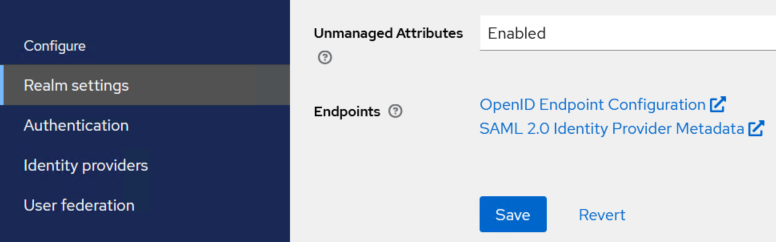
On the SafeNet Access Exchange console, in the left pane, under Configure, click Realm settings.
-
In the right pane, on the General tab, under the Endpoints field, click on the SAML 2.0 Identity Provider Metadata link to download the SAML metadata of the realm (for example, SailPoint) created in SafeNet Access Exchange.
-
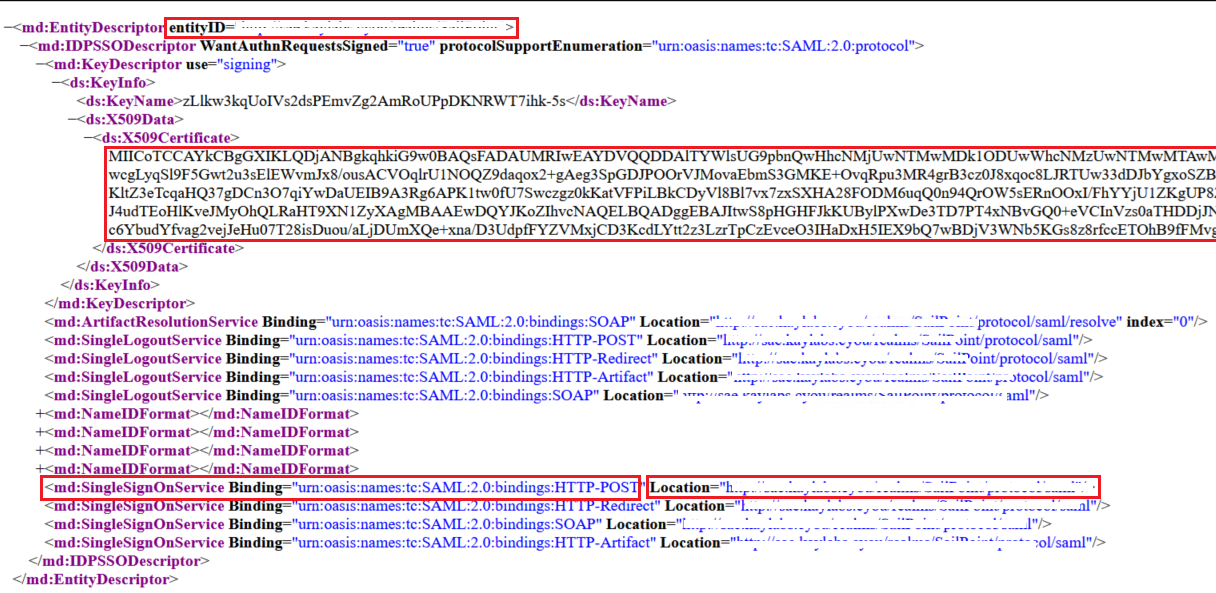
Open the metadata in a text editor, copy the value of the following parameters, and paste them in a text editor.
- entityID
- SingleSignOnService - HTTP POST URL
-
From the metadata, copy the value of X509Certificate as shown in the below screenshot and paste it in a text editor between ----BEGIN CERTIFICATE----- and -----END CERTIFICATE----- statements. Save it as a .crt file on your local machine.
You will need the certificate while configuring SafeNet Access Exchange as your IdP in SailPoint.

-

