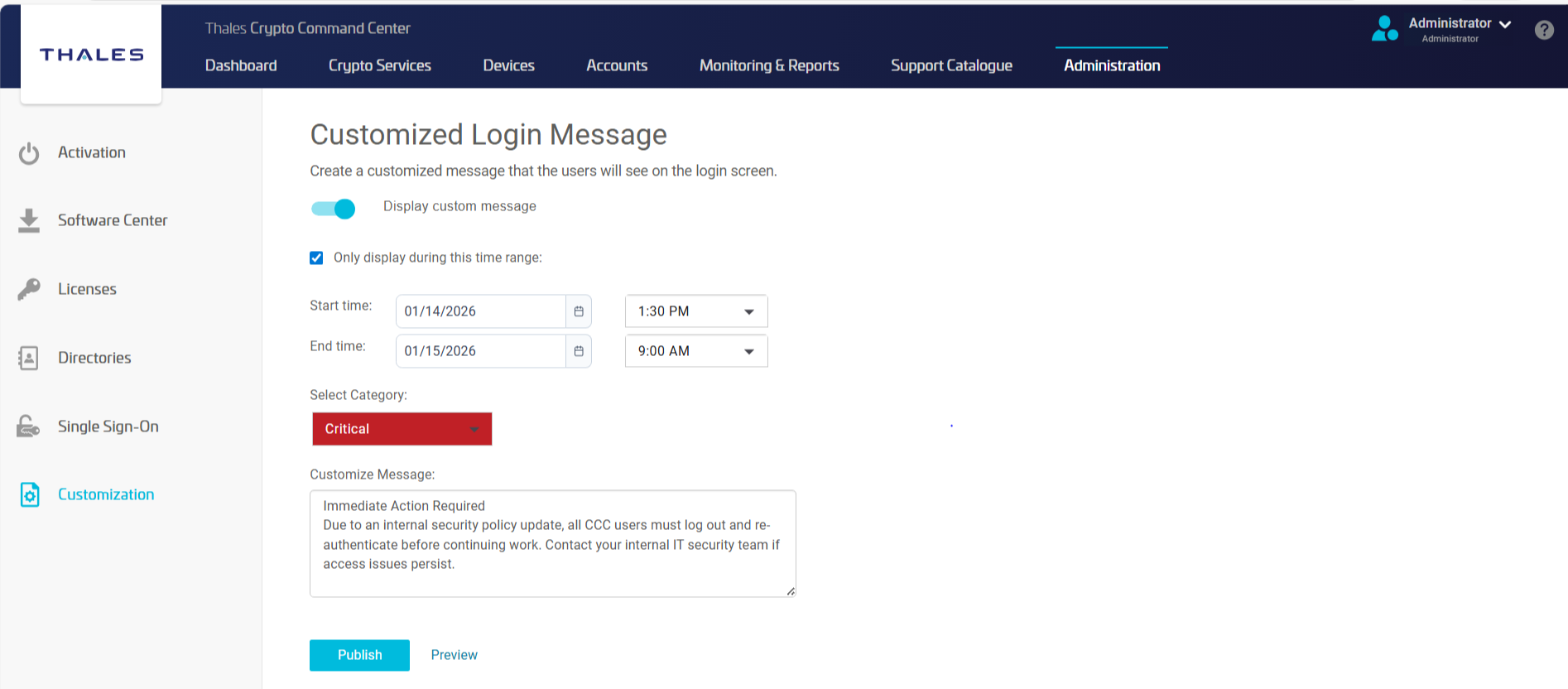
Customized Login Messages
As a CCC administrator, you can create personalized messages that are displayed as banners on the CCC login screen and are visible to all users before they sign in to CCC. These messages appear during the login process, allowing users to see important information prior to authentication.
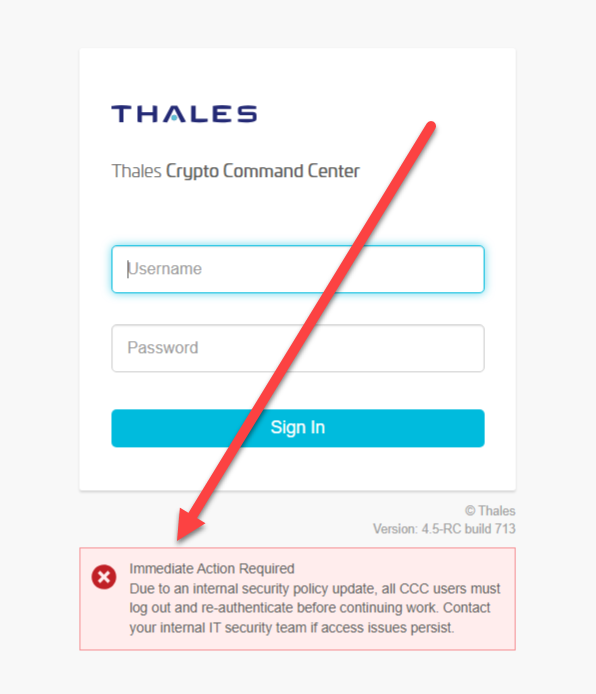
To access this feature, navigate to the Administration tab from the top menu bar, and then click Customization in the left-side navigation pane. You can define the start and end times for message visibility, assign a category (Informative, Warning, or Critical), and compose the message content. This enables you to effectively communicate important operational or security-related information to all users as they access CCC.