Verifying the Integrity of Your Shipment
CAUTION! Thales employs a number of security measures to allow you to verify that your new hardware was not intercepted in transit or otherwise tampered with before you received it. To verify the authenticity and handling history of your received items, review the following checklist before you unpack your new hardware, and then follow the checklist as you unpack each item.
| Step | Yes | No |
|---|---|---|
|
1.Do the items received (individual items, part numbers) match those listed in the enclosed packing list? If yes, go to the next step. If no, contact Thales support. |
||
|
2.Before you received the product, did you receive an advanced shipping notification providing details regarding the shipment (part numbers and serial numbers for the product, and for tamper-evident bag(s))? If yes, go to the next step. If no, contact Thales support. |
||
|
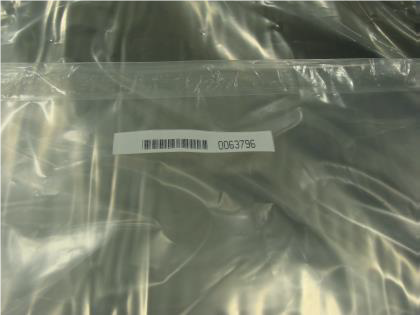
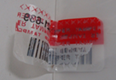
3.Are any tamper-evident bag serial numbers that are listed in the advanced shipping notification present, and do they match the actual bag(s) received? The tamper-evident bag serial numbers appear as shown below.
If yes, go to the next step. If no, contact Thales support. NOTE The serial number of the bag is tracked. Serial numbers of additional stickers on the bag are not tracked, and are meant only for inspection against physical alteration. |
||
|
4.Did you receive any tamper-evident bags that are not listed on the advance shipping notification? If yes, contact Thales support. If no, go to the next step. |
||
|
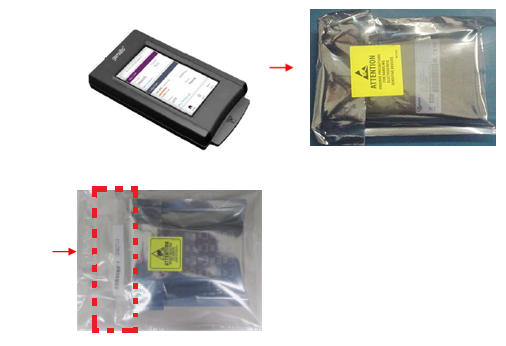
5.
If no, contact Thales support. If yes, go to the next step. |
||
|
6.Are there any signs of physical tampering?
If yes, contact Thales support. If no, go to the next step. |
||
|
7.Once you have verified all of the received items, you can proceed with the installation. |
NOTE When you receive a new Luna Network HSM 7, you will see log entries that were recorded before the unit was shipped. These include the following:
>Two login attempts that are part of the factory test process to ensure that the password was reset prior to shipment.
> Entries related to NTLS testing, certificate configuration, and license verification.
>A supportInfo.txt that is generated automatically on every reboot/shutdown.
Most of these are for assurance of the appliance surrounding the cryptographic module (the HSM). They are all to be expected and do not indicate device tampering. Clearing such artifacts would require re-logging in, which would generate more log entries, to no gain.
Secure Transport Mode is used to reassure against tampering of the embedded cryptographic module in transit; launching STM on the HSM (module) requires login to the appliance. This is done before the final appliance-level steps mentioned above. The HSM component must then remain untouched between the time STM is activated and the time you receive, confirm, and deactivate.
